 Jędrzej Siewierski
Author: Jędrzej Siewierski, CEO and co-founder of JSON Crew.
On July 19, 2024, a single software update from CrowdStrike, sent to all customers at once, brought down approximately 8.5 million Windows computers (Microsoft's estimate). Anyone can make a mistake in a new version. The damage on this scale was caused by the way it was implemented: all at once, without a small test group.
An OTA update gives the device manufacturer the same power: a fix for all customers in a matter of days, without the need for a service call. This text is about how to use it without bringing the entire database to a standstill.
In short:
- OTA Update (from English over the air, „over the air”) refers to sending a new version of the software to the device via the internet, without the need for a service visit. This is how your phone is updated.
- A bad version sent to everyone at once breaks all the devices at once. That's why it's sent in stages: first to 1% of devices, then to 5%, 25% and the rest, with a built-in brake that automatically stops the rollout when the number of errors increases.
- The device should store two copies of the software, and each package must be signed by the manufacturer. Both of these aspects need to be planned when designing the electronics, before the device goes into production.
What is an OTA update and how much does not having one cost?
Your phone downloads a new version at night, checks if it comes from the manufacturer, installs it, and restarts. This is OTA Upgrade, in English OTA update. The new version is delivered over the network (Wi-Fi, cellular network, or phone app), rather than via a cable held by a service technician.
In household and industrial appliances, it is usually updated driver software: a program in the electronics that decides when to heat, when to turn off the pump, and what to show on the display. Engineers call them firmware.
Every fix that can't be done over the network comes at a cost: a site visit, an hour of a technician's time, scheduling an appointment, and sometimes even replacing a circuit board. Do the math for yourself.
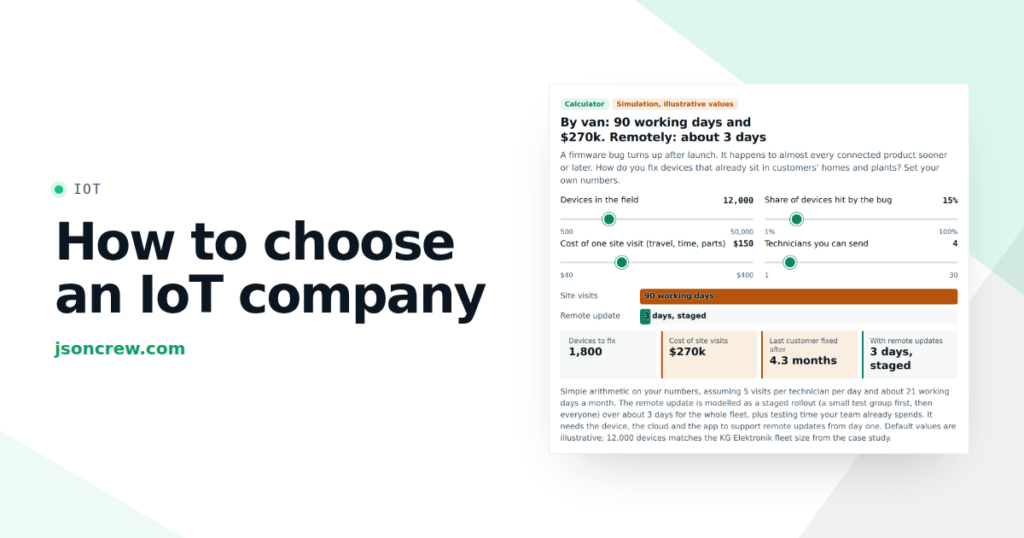
With the initial settings (3,000 devices, two service technicians, 5 visits per day), one manually delivered update takes 300 working days, i.e., over a year. By the time the service team reaches the last customer, the design engineers already have the next update ready. The calculator does not take into account the cost of building and maintaining an OTA. This cost exists, but you pay for the build once, and for the trips with each new update.
What does an OTA update offer the manufacturer, apart from savings on travel?
The product improves after sale. A device purchased two years ago may now have a new operating mode. On our sales map This is the growth stage: what happens after the first sale and determines whether the customer will buy from you again and whether they will recommend you.
Security vulnerabilities can be fixed. Sooner or later, every device connected to the internet will turn out to have a weak point. What matters is how much time passes from detection to the fix being applied on all devices. Without OTA, the answer is: never on all of them.
You know what really works for clients. In order to perform an update, the system needs to know which device has which software version. You then have a complete overview of your database, which is also useful for handling complaints.
Why is „all at once” the most expensive mistake when updating OTA?
Imagine a network of 120 bakeries (illustrative example). A technologist has developed a new bread recipe: it's faster, cheaper, and works great in the lab. On Friday evening, he sends it to all the bakeries. On Saturday morning, it turns out that in older ovens, the bread comes out stodgy. One hundred and twenty bakeries have the same problem at the same time, and no one can borrow bread from their neighbor.
It's the same with updates, only faster. Following the incident in July 2024, CrowdStrike announced in preliminary report, that it will implement such updates in stages: first to a small test group, then to an increasingly larger proportion of devices. The technologist should have done the same from the start: one bakery first.
For a boiler manufacturer, the scale is smaller, but a thousand boilers that stop heating in January means a thousand phone calls in one morning.
Phased implementation: 1% first, then more
A sensible technologist gives a new recipe to one bakery on Monday. For two days, he watches what comes out of the oven. If it's good, on Wednesday, six bakeries receive the recipe, including one with an older oven. Then thirty, then all of them. The old recipe remains in the drawer the whole time, ready to be used again.
The phased rollout of OTA updates follows the same pattern:
- Test group, approximately 1% of devices. Ideally, devices that you are familiar with (your own, test devices, or those belonging to trusted customers), but also a few of each version of the equipment that is operating in the field.
- Observation. After the update, the devices themselves report whether the new version has started and how many errors they are reporting. You wait as long as necessary for the error to appear.
- Subsequent stages: 5%, 25%, the remainder. Everyone only moves on when the previous one has gone well.
- Brake. You set the threshold in advance, for example: if more than 1% of the updated devices report an error, the deployment stops automatically, without waiting for a human decision.
- Withdrawal. Devices that received the incorrect version are reverting to the previous one.
Cloud services have these settings built in, for example. AWS IoT Jobs (implementation rate and stopping at a specified percentage of failed updates). More important than the tool is who in your company sets these numbers.
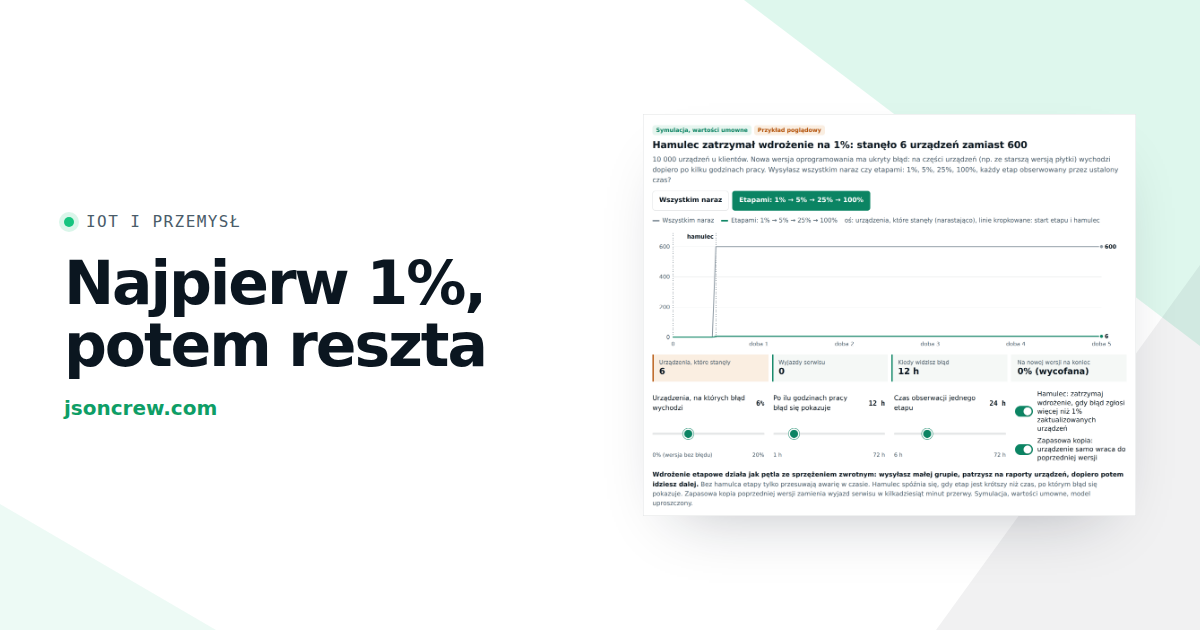
See what happens when there's a hidden bug in the new version.
With the initial settings, sending to all stops 600 devices, while a phased rollout with a brake stops only 6. Now set the second slider („after how many hours of operation does the error appear?”) to 40 hours. The stage lasts 24 hours, so before the error appears, the new version is already sent to the next group. Disable the brake: the stages remain, but they only spread the failure over time.
OTA update through the lens of a Tuned Company
W article about process management in the company I described the company as a loop: goal, measurement, difference, decision, action and measurement again. A phased implementation is a very clear example of such a loop. In bakery terms, it looks like this:
- Measurement. The technologist needs to know what came out of the oven. For devices, this is a report stating „I started up on the new version” or „I did not start up and reverted to the old version.”.
- . You can only see the lump after baking. Some software bugs only become apparent in cold weather, at night, or after a thousand operating cycles. The stage must last longer than this delay, otherwise the brake will only activate once subsequent groups already have the new version.
- Speed. Moving too quickly between stages is again „all at once,” just in four installments. Too slow means that an urgent security patch takes a month to reach customers.
- Threshold. There's always one bakery having a bad day, and some devices are currently without power or network connection. If the brake reacts to every such event, it will stop every implementation, and the team will eventually disable it. Set the threshold above the usual error level that you are familiar with from the database's daily operation.
Version withdrawal: two copies and a custodian
The brake stops the deployment. But what about the devices that have already received the wrong version? This is where an old trick from the drawer comes in handy.
A well-designed device stores two copies of the software in its memory. The new version is saved next to the old one, not in its place. After restarting, the new version starts up, but for the first few minutes, it is monitored by a simple a guard: If the new version does not report that it is working correctly, the device automatically starts up from the previous copy and sends an error report to the manufacturer. The customer experiences a brief interruption, and you receive a signal for the brake.
Without a second copy, a bad version or a power outage during the save process will result in a device that won't start, so you won't be able to fix anything remotely. See it on one device.
Two copies require more memory, and the watchdog and signature verification must be built into the controller. These are decisions to be made at the electronics design stage. In devices that are already installed at customers' premises, it is often not possible to add them without replacing the board. If you are designing a new model, now is the right time.
OTA update security: Who can upload a new version?
Through the channel you use to fix errors, a stranger could take over your devices. Check three things:
- Digital signature of the package. The manufacturer signs each version with its private key, and the device verifies this signature before installation. A package that has been tampered with or altered along the way is rejected.
- Each device has its own unique identity. If all devices log in with the same password, it is enough to steal it from one device to impersonate any of them. A separate certificate for each device means that taking control of one controller does not open the way to the others. This is what we did in the app. APP Smart Control for KG Elektronik, where the platform on AWS also has infrastructure prepared for remote updates of driver software.
- Who in the company can release a version. If one person from one laptop can send a new version to the entire database, the entire system is only as secure as that laptop. A sensible rule: the release is approved by two people, and the implementation always starts with a test group.
There is also a legal reason. EU Cyber Resilience Act (Regulation 2024/2847, in English) Cyber Resilience ActAccording to European Commission website came into force on 10 December 2024. The obligation to report exploited vulnerabilities begins on September 11, 2026, and the main obligations on December 11, 2027. The manufacturer must specify the product support period, indicate its end date at the time of purchase, and effectively remediate vulnerabilities during this period. With thousands of devices in the field, it is difficult to do this without remote updates. This is not legal advice: check the scope of obligations for your product with a lawyer.
When an OTA update doesn't make sense, and when you need to start with it
- Device without connectivity. If the controller cannot connect to the network, the first step is to check the communication module (for example, WiFi), not the updates.
- Small base. With dozens or even hundreds of devices, a service tour can be cheaper than building an entire system. A cheaper way to achieve a similar effect may be a browser panel.
- Insufficient memory in the controller. If the electronics cannot accommodate two copies of the software, an OTA update without a fallback version poses a risk.
- No one is keeping an eye on expenses. OTA without someone to set the stages, read the reports, and have the authority to halt implementation, remains an „all-at-once” approach, albeit with additional steps.
Four questions for the designer and head of service
- What do we do today if there is a bug in the device's software? If the answer is „nothing until the customer calls,” enter your numbers into the first calculator.
- How many versions of the software are currently in use by our customers? If no one knows, you are missing the first measurement.
- Will our device survive a power outage during an update? Ask about two copies and the guard. The answer „I don't know” also says something.
- Who can release a new version and who can stop it? One person is not enough for both tasks.
Frequently Asked Questions
What is an OTA update?
OTA Update (. over the air, „over the air”) refers to sending a new version of the software to a device via a network: Wi-Fi, cellular network, or a mobile app, without the need for a service visit or connecting a cable.
What is the difference between an OTA update and a firmware update?
Firmware is the software embedded in the device's electronics, i.e., what gets updated. OTA is a method of delivering updates: over the network. It can also be done via cable, but then a person must be present at the device.
What does the phased rollout of the update entail?
The new version is first rolled out to a small group of devices, usually around 1%, and then to an increasingly larger portion of the base, for example, 5%, 25%, and the rest. If the number of errors exceeds the set threshold, the deployment stops automatically.
What happens if there is a power outage during the update?
It depends on the design of the device. If it holds two copies of the software, the new version is saved alongside the old one, so an interrupted save doesn't cause any issues: the device continues to operate on the old version and will attempt the save again. If it only has one copy, it may stop starting up and you will need to send it for servicing.
Does the EU Cyber Resilience Act require an OTA update?
The Regulation does not mandate a specific technology. It requires the manufacturer to specify the product support period and to effectively address vulnerabilities during this time. The main obligations apply from December 11, 2027. Check with a lawyer for details regarding your product.
Find out where your business is stuck
The „Where is your company getting stuck?” test shows you in just a few minutes at which stage of sales and customer service your company is reacting too late or too strongly.
Are you thinking about an application for your device or your own panel for a website? Application cost estimator in a few minutes it will show you how much it actually costs and how long it takes before you talk to anyone.
Where is your company blocking out?
Eight sentences about how your company responds to results. Next to each of them, indicate how often you do this. At the end, you will see what kind of regulator your company is today, what it lacks and where to start.
None of the eight sentences fit your business. This is a good sign: your decision loop is calm. Check it quarterly, because rocking usually begins when the company is growing or the market is changing.
I will send you 10 questions to list one process, with hints for your result
Sent
CEO of Ideo Solutions AS
Next step: see a failure before it happens
The OTA update allows you to fix the device after you find a bug. The same device reports can show wear and tear before the device reaches the customer. That's what it's about. article on predictive maintenance. More on how we build apps and platforms for device manufacturers: IoT applications.
How to Cite This Article: Jędrzej Siewierski, „OTA Update: How a Device Manufacturer Improves Software Without a Service Call and Without Risk to the Entire Base,” JSON Crew, jsoncrew.com, 2026.
CEO of Ideo Solutions AS