A new WooCommerce store for Galeria Bolesławiec: migration, email automation and SEO with zero downtime
Hand-painted pottery from Bolesławiec, almost 7,000 products in the catalogue, a live mailing list and a store that had to keep selling the whole time. We built a new WooCommerce store next to the running one, moved everything over 1:1 and added what had been missing: email automation, proper SEO and a checkout that doesn't lose customers.
Galeria Bolesławiec is a Kraków-based store selling Bolesławiec pottery: mugs, plates, dinner sets, jugs, all hand-painted in the characteristic cobalt patterns. The client came to us with a store that worked well but was showing its age. They wanted a new look and new marketing capabilities, without the risk of losing customers, Google rankings or subscribers' trust along the way. This is what a typical project from our websites and online storesoffer looks like: a new store is not just a new look, but above all a safe transfer of everything the store makes money on.
Starting point
The old store did its job, but it had a few problems that had started to cost money:
- A large, complex catalogue. Almost 7,000 products and variants, 38 categories, 86 tags. Around 1,300 of them are in stock at any given time. The rest are temporarily unavailable patterns that come back with new deliveries.
- A mailing list with no automation. More than 1,600 newsletter subscribers in MailerLite, but the store did not pass any purchase data to it. Every mailing went to everyone in the same way, whether someone had bought yesterday or never.
- SEO with gaps. Not a single product image had alt text. Some categories and products had no meta descriptions of their own, and the homepage description was cut off mid-sentence.
- Small friction points in the cart. VAT shown twice, confusing messages for sold-out products, and pagination that overflowed the screen with dozens of listing pages.
The goal was easy to describe and hard to achieve: a new store, the same sales during the work, zero losses after the switch.
Almost 7,000 products, of which around 1,300 are visible
Hover over the chart. The migration had to move the entire catalogue, including patterns that are currently out of stock, because they come back with new deliveries and have their own URLs in Google.
- ~1300in stock and visible in the store
- ~5700temporarily unavailable, hidden from listings but with a working product page
- 38 / 86categories / tags moved with their hierarchy
The challenge: a new store next to the live one
We built the new store in a separate staging environment, on the same hosting as production. That is convenient, but it carries two serious risks.
Risk 1: an email from staging reaches a real customer. A test environment with a copy of real orders and customer accounts is a ticking time bomb. One order status change, one cron job or one automation test is enough, and a customer who bought a mug six months ago gets an email saying “Your order has been shipped”.
Risk 2: loss of visibility in Google. Every store migration risks a drop in rankings: changed URLs, lost meta descriptions, duplicate content visible to crawlers before the new store is ready.
A safe staging environment: four layers of protection
Before moving any data, we secured the test environment:
- A password in front of the whole site. Staging was inaccessible to anyone outside the team and the client, including search engine crawlers.
- No indexing on four levels: HTTP header, meta robots, the WordPress setting and a block in robots.txt. Even if someone had published a link, Google would have had nothing to index.
- An email guard. Every email sent by WordPress from staging was intercepted and redirected to the project lead, with [STAGE] in the subject and an hourly sending limit. The store's customers could not receive a single message from the test environment.
- A MailerLite safety switch. On staging, the newsletter integration could only add contacts to a separate test group. Any attempt to write to the real list was blocked before the request left the server.
▸Technical detail: site password vs API access
WordPress blocks the creation of application passwords when it detects that the site is behind HTTP authentication. That was a problem for us, because the migration and SEO sync ran through the API. We solved it with a small module that lifts this block during the work and passes credentials through a separate header. The module ran only on staging and was removed at go-live.
1:1 data migration
Products, categories, images
We moved the entire catalogue from the live store through its API, in read-only mode. We did not install a single plugin or change a single line of code on production. The old store kept selling without knowing it was being copied.
- almost 7,000 products and variants, with prices, sale prices, stock levels, attributes and images
- 38 categories with their hierarchy and descriptions
- matching by SKU, or by product URL where the SKU was missing, so that re-running the import updated products instead of creating duplicates
Price and stock watcher
Building the new store took weeks, and during that time the old store kept selling and receiving deliveries. To keep staging in sync with reality, we added a watcher that compared prices and stock levels with production on demand and updated only what had changed. On switch-over day, the new store had exactly the same prices and stock as the old one.
Customers and order history
We moved customer accounts and order history, so that returning customers would see their previous purchases in “My account” after the switch. The import had a triple email safeguard: a global email guard, all WooCommerce email templates switched off during the import, and status change triggers removed. Thousands of imported orders, zero emails sent.
The new store: a catalogue where pottery is chosen by pattern
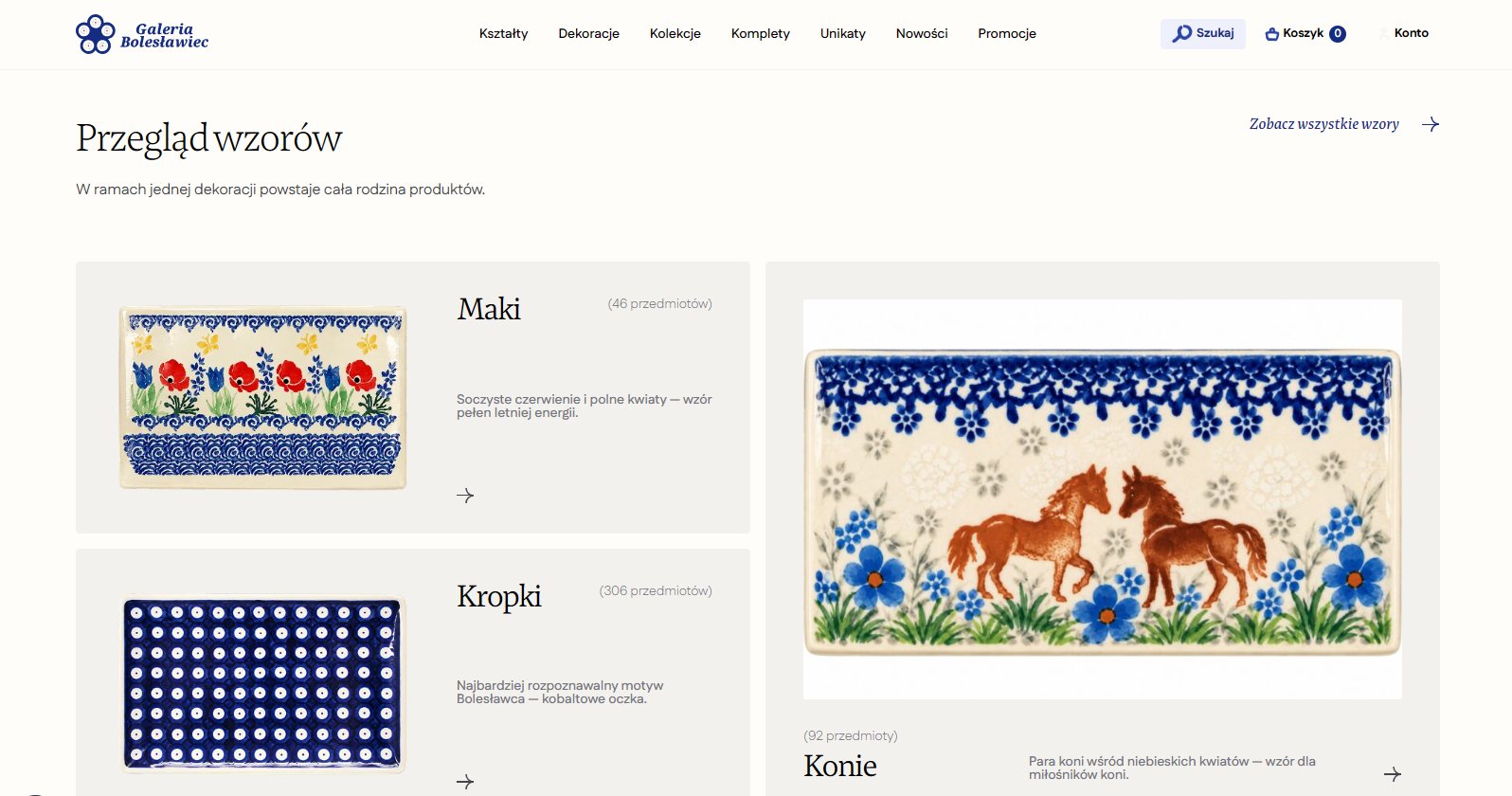
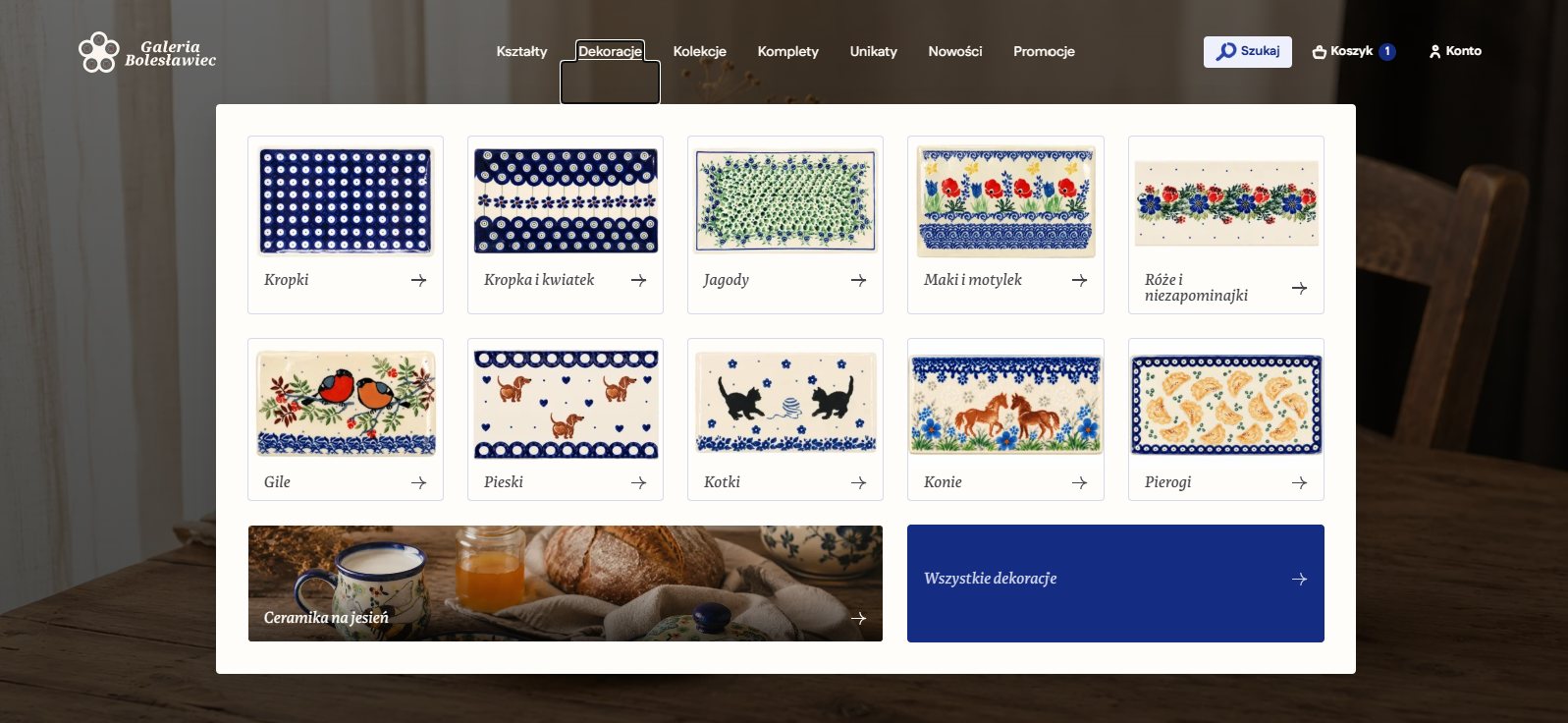
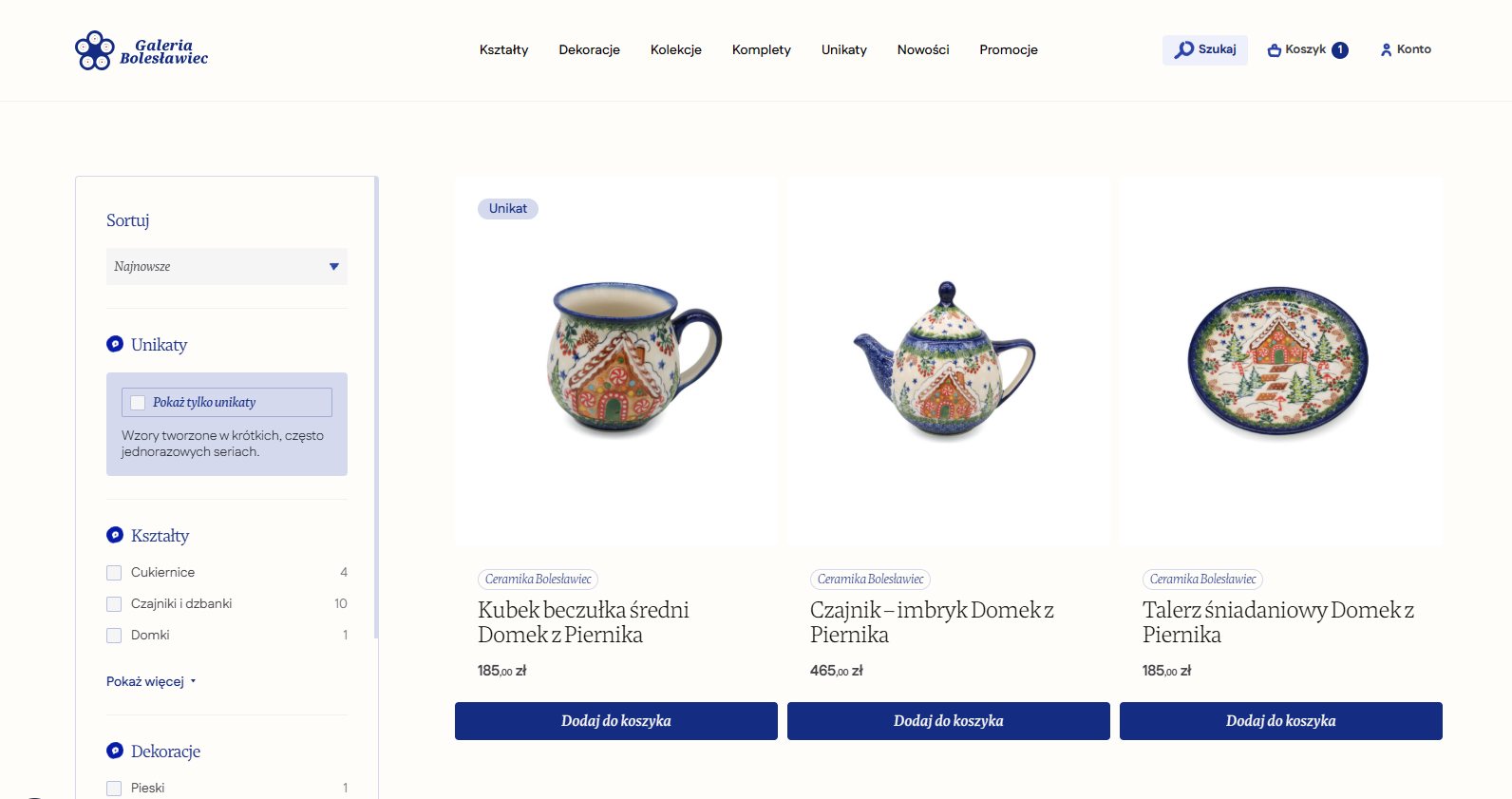
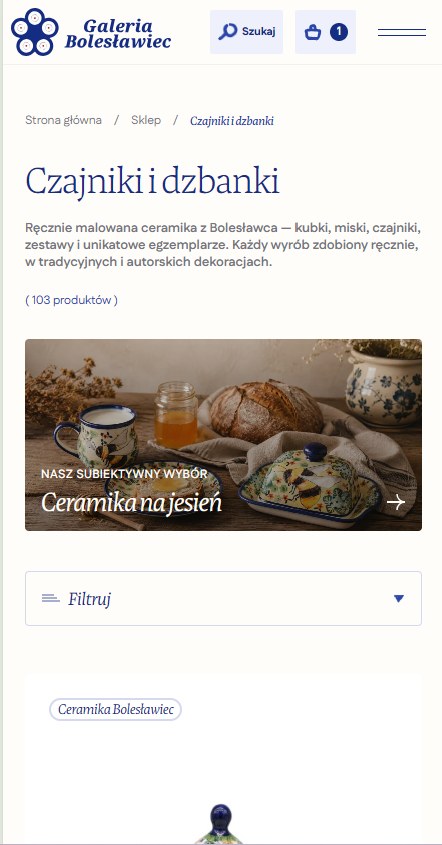
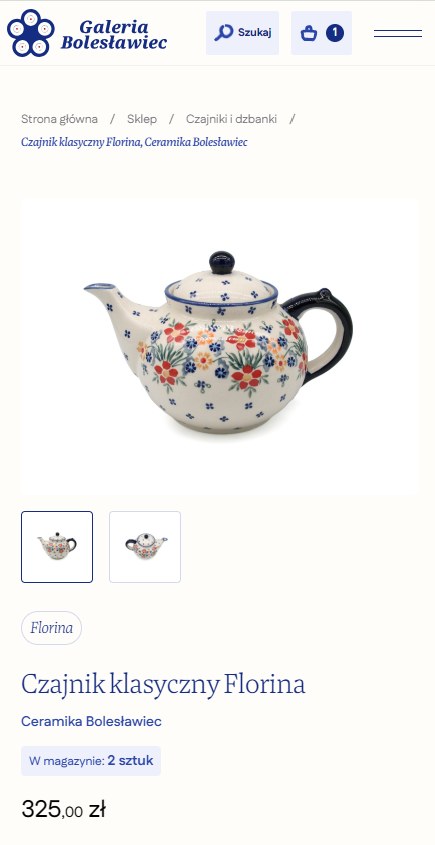
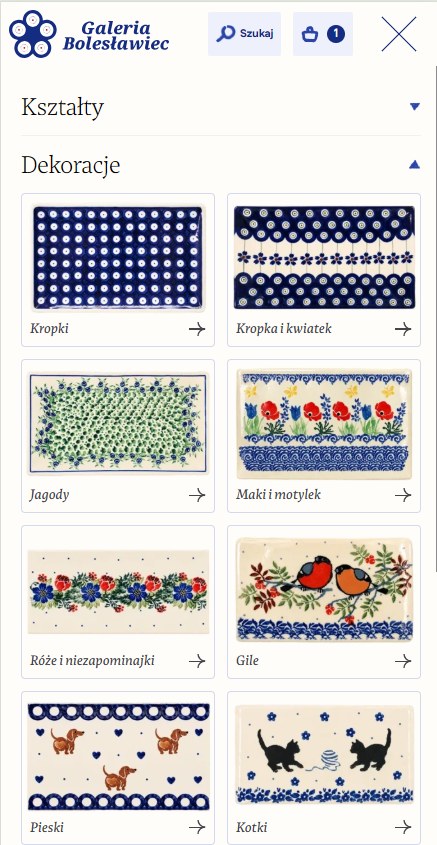
With Bolesławiec pottery, customers rarely look for “a mug”. They look for a mug in a specific pattern: dots, blueberries, poppies, horses. That's why we built the navigation around two axes at once, shape and decoration, and show patterns as thumbnails rather than a list of names.


SEO: lose nothing, fill the gaps
1:1 transfer
For every page, post, product and category, we took from production what Google actually sees: the title, meta description and Open Graph data. We saved it in the new store unchanged. 73 out of 73 mapped pages had identical SEO data after the migration as before it. Product and category URLs stayed the same, so links from Google, emails and social media worked from the very first minute.
Filling in what was missing
- Image alt texts. The old store did not have a single one. We generated them following a consistent pattern (product name plus a description of the type of pottery), starting with 150 product photos.
- Missing meta descriptions for products and categories that had none, written from the short product description and within the length Google displays.
- Business structured data (LocalBusiness / Store): name, the store's address in Kraków, opening hours, phone, accepted payment methods and currencies. Google gets a clear picture of who the seller is and where to find them.
What we moved 1:1 and what we added
Number of pages with a complete set of SEO data (title, description, Open Graph) in the mapped part of the store. On top of that came 150 image alt texts, which production did not have at all.
Data from the SEO sync on staging: 73 out of 73 pages moved unchanged, 15 descriptions written from scratch.
▸Technical detail: two SEO plugins in one store
At the start, the store had two SEO plugins installed at the same time. That's a common trap: both can generate their own tags and structured data, which ends in duplicates in the page code. We kept the one production was using, so that the data migration would be 1:1, and plugged in the business structured data so that it overrides the existing node instead of creating a second one.
Marketing automation: the store talks to the newsletter
This was the biggest new value of the project. Before, the store and the mailing list lived separate lives. Now every order feeds the customer's MailerLite profile with purchase data.
Data that reaches the newsletter
After every paid order, the subscriber profile is automatically updated with: number of orders, total spend, average order value, dates of the first and last order, the status of the last order and the favourite product category. This makes it possible to send one message to someone who buys plates every month and another to someone who once bought a mug as a gift.
GDPR-compliant consent
At checkout and in “My account” there is now a single, unticked-by-default marketing consent checkbox, styled to match the terms-and-conditions consent. Together with the consent we store proof: the date, IP address and browser. One consent covers the newsletter, offers and cart reminders, and its wording is described in the privacy policy.
Three automations
- Welcome (3 emails). A welcome email a few minutes after signing up, bestsellers two days later, a first-purchase discount five days after that. If the customer buys something in the meantime, the sequence ends and they don't get a discount they no longer need.
- Abandoned cart. When a logged-in customer with consent leaves products in the cart for more than an hour, a reminder sequence starts (after 1 h, 24 h and 48 h). A purchase stops the sequence immediately, in two independent ways, so that nobody gets a reminder about a cart they have already paid for.
- Reactivation. Customers who haven't bought in a long time get a separate path with new arrivals from their favourite category.
What will a new subscriber receive? See for yourself
Choose when the customer makes their first purchase and see which emails in the welcome path actually go out.
- LaunchSign-up with marketing consent
- After 5 minEmail 1: welcome
- After 2 daysEmail 2: bestsellers
- After 5 daysEmail 3: first-purchase discount
- ThenRegular campaigns with purchase data
The customer receives all three emails, and the last one, with the discount, is meant to win the first purchase.
How much can an abandoned cart reminder bring in?
Move the sliders and enter your own store's numbers. We only count logged-in customers with marketing consent, just as it works at Galeria Bolesławiec.
The default values are examples and do not come from Galeria Bolesławiec. The result is a rough estimate, not a promise: effectiveness depends on your industry, the email content and how many customers create an account.
Store and checkout UX
Along with the migration, we cleared up small friction points that look harmless one by one but together cost conversions:
- A checkout that doesn't leave the customer empty-handed. If there is a problem in the cart (a product has just sold out, a variant has no price), the customer no longer sees a generic “There are problems with your cart”. They go straight to the cart with a specific message next to the specific product.
- Unavailable products disappear everywhere. WooCommerce hid sold-out items in the shop and categories, but not in the homepage carousels, the “Matching the set” section or the search suggestions. Now they are hidden everywhere, while the product page still opens at its own URL, so links from Google and emails don't lead nowhere.
- Pagination on a human scale. With more than 40 listing pages, WooCommerce's default pagination spilled off the screen. We introduced the short format known from big marketplaces: 1 2 3 … 15 16 17 … 42 43.
- A clear order summary. We removed the duplicated VAT line and made the size of the decimal part consistent in the cart summary.
- A stable header. We removed the header shrink effect on scroll, which made the content jump.
- Subtle entrance animations for elements on scroll, built so they don't clash with the hover effects on product cards.
The store supports BLIK, online transfers, cards and buy-now-pay-later, DHL shipping and a BaseLinker integration, and the lowest-price-in-30-days notice (Omnibus directive) works on every product on sale.
AI marketing assets, with rules
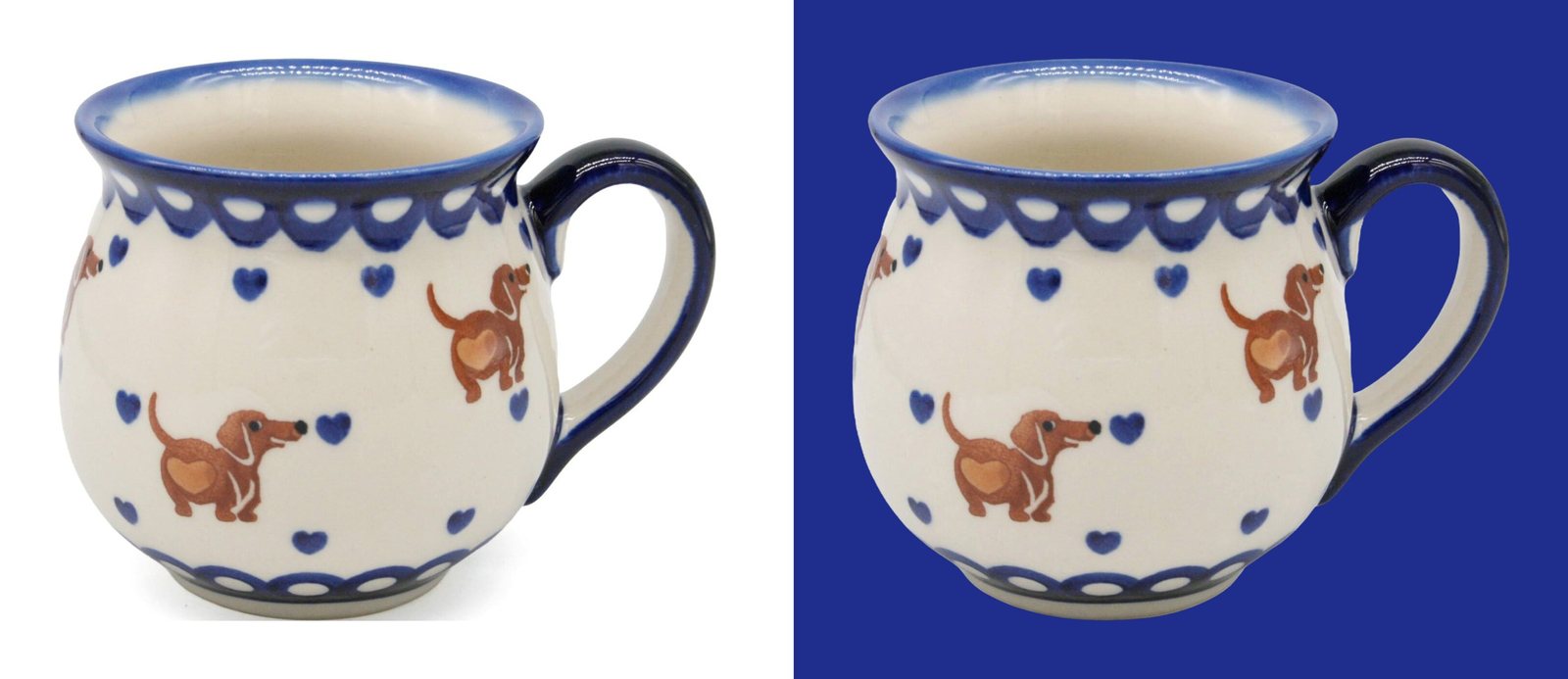
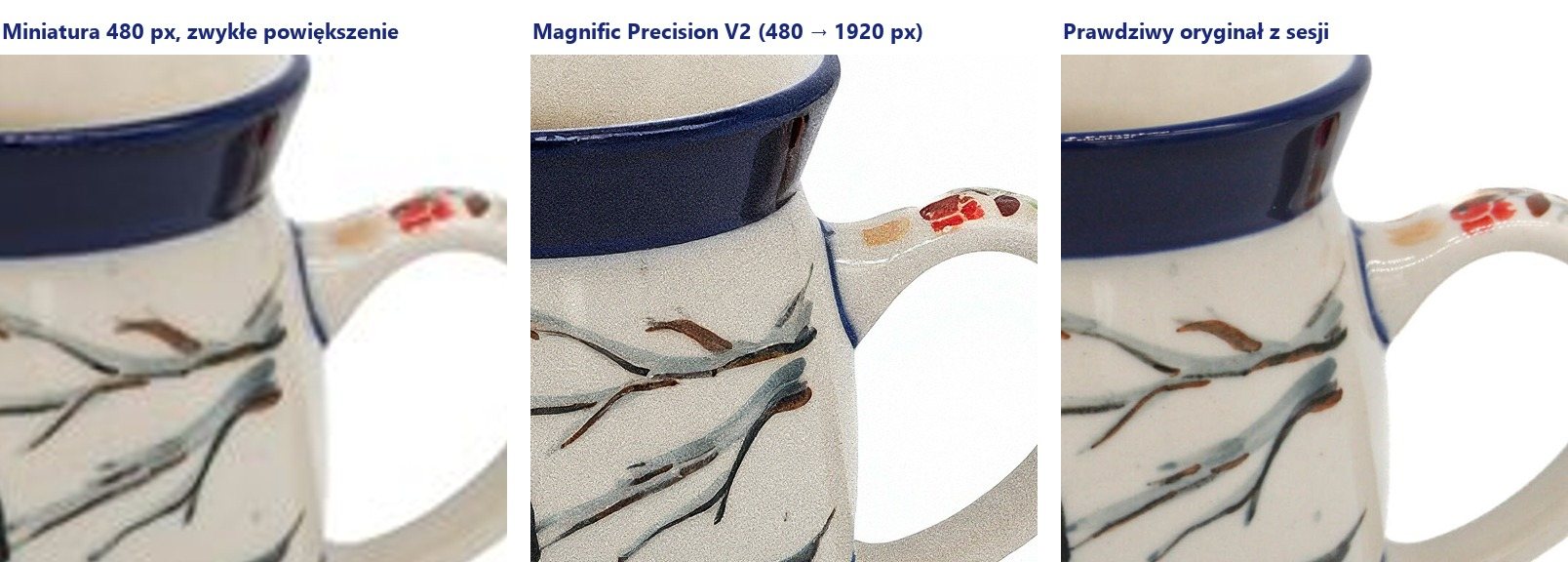
Alongside the project, we tested on the store's real products what AI image and video tools (Magnific) are good for. In a store selling hand-painted pottery, the pattern is the product, so we compared every result with the original.


What we took away from it:
- for product gallery photos, only tools that stay true to the original: background removal and precise upscaling
- lifestyle scenes are labelled as visualisations and used in marketing, not on the product page
- one product per frame: with several products in one scene, the model changed the pattern of one of them every time
- screenshots of our work never go through a generator, AI only creates the mockup background
Going live
Launch day is the riskiest moment of any migration, so we had it planned step by step:
- An on-brand “Maintenance in progress” screen for visitors, with a status code that tells Google the break is temporary and the page should not be dropped from results. Logged-in administrators saw the normal store and could check it before opening.
- A final sync of prices and stock.
- Removing all staging safeguards: the site password, indexing blocks, the email guard and the MailerLite test switch.
- Switching the newsletter integration to the production list and production automations.
- Verification: titles, descriptions, structured data, a test order, the confirmation email, a MailerLite sign-up.
The store has launched and has been taking orders since day one. We handle further development and ongoing care as part of website maintenance and development.
Results
- Uninterrupted sales. The old store kept selling while the new one was being built, and the switch-over fitted into a short, planned maintenance window.
- Zero accidental emails. Throughout the work and the import, not a single store customer or subscriber received a message from the test environment.
- Complete data. Almost 7,000 products, categories, customer accounts and order history moved over 1:1.
- SEO with no losses, and then some. All existing SEO data preserved, URLs unchanged, plus image alt texts, missing meta descriptions and business structured data.
- A newsletter that knows the customer. Every order feeds the MailerLite profile, and the automations run without any work from the store team.
Is your current store ready for a rebuild?
Answer 20 questions honestly about technology, shopping convenience, marketing, day-to-day operations and SEO. At the end you'll see how urgent a rebuild is and where to start.
When was your current store built?
This is where we would start in your store:
This is an indicative self-check, not an audit. It shows where the biggest losses usually are, but concrete decisions should be based on data from your own store.
Planning a new store but can't afford a break in sales?
Book a free call. We'll look at how to move your products, customers and SEO 1:1 and what is worth automating along the way, so the store works for you.
Schedule a callCheck before we talk
Services associated with this deployment. Take a look at the offer, see how we approach similar problems in other customers.
View Case Studies
Three implementations from our portfolio. Specific numbers, processes rebuilt at real customers.


Did you like this article?
If after reading this you feel your company also has processes worth rebuilding, book a free call. Together we will check where sales are really leaking and what makes sense to implement first.
Schedule a call