 Jędrzej Siewierski
By Jędrzej Siewierski, CEO and co-founder of JSON Crew.
Do your buyers actually want to configure the product themselves, or do they want a salesperson? The data says most of them want to start on their own. At Akpil, a farm machinery manufacturer we built a configurator for, 78% of customers configure their machine before they contact a sales rep, and a quote that used to take about 3 hours now takes about 4 minutes.
They still talk to a rep, but they show up with a finished spec instead of a vague question. A Product configurator is what makes that possible. Try a small one below.
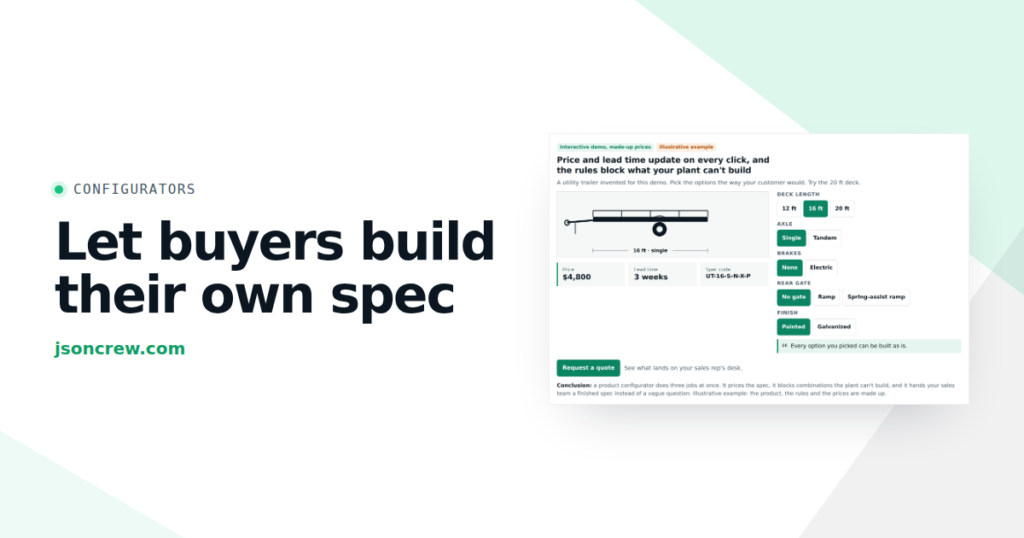
Price and lead time update on every click, and the rules block what your plant can’t build
A utility trailer invented for this demo. Pick the options the way your customer would. Try the 20 ft deck.
Deck length
Axle
Brakes
Rear gate
Finish
In short:
- A product configurator lets buyers build, check and price their own spec on your website. Three parts to the work: the options, the rules between them, and the price. The output is a finished spec, a quote or an order.
- For a manufacturer, the rules are the valuable part. They do the checking your engineer does on the phone, so nobody can order something your plant can't build.
- 3D is a way of showing the product, not the core of the tool. It pays off where shape, size or fit drive the decision. Where the variety is colors, materials and add-ons, 2D images usually do the job.
- The data may be the best part. Configurations show what buyers want weeks before anyone signs an order.
What is a Product configurator?
A Product configurator is software that lets someone choose options for a product, applies the rules between those options, and shows the price and the result straight away. It has three parts:
- Options. Deck length, axle, brakes, gate, finish in the trailer demo above. Model, size, material and add-ons in your catalog.
- Rules. A 20 ft deck needs a tandem axle. Galvanizing only fits decks up to 16 ft. Pick one option and the configurator changes or blocks another.
- Price. Every choice updates the total, so the buyer never has to ask.
The output is a finished spec: a summary with a code, a PDF quote, a quote request in your CRM, or an item in an online cart. When people search for Product configurator software, they usually mean a tool that runs this on a website, either with a simple picture that changes with each choice (2D) or with a model the buyer can rotate (a 3D Product configurator). Both run on the same three parts.
How it differs from a catalog, a calculator and CPQ
| Tool | What the buyer gets | What it can't do |
|---|---|---|
| PDF catalog or price list | Everything, page by page | Tell the buyer which combination works and what it costs |
| Price calculator | A total for the numbers you type in | Stop a combination that can't be built |
| Product configurator | A buildable spec with a live price, often with a picture | Replace the conversation about delivery, financing and terms |
| CPQ (configure, price, quote) | A formal quote from the sales team, with discounts and approvals | Usually not built for a buyer browsing your website alone |
In short, CPQ is mostly for your sales team, while the configurator in this article is mostly for your buyer. More in what CPQ software is.
Who should do the configuring: the buyer, the dealer or your rep?
The same configurator can sit in three places:
- On your website, for the buyer. Buyers work out on their own whether your product fits and what it costs. This article is mostly about this case.
- On a laptop or tablet, for your sales rep or dealer. The rep configures with the customer at a trade show or on a call. Same rules, same prices, no spreadsheet.
- Inside the quote, after the first offer. The customer opens a quote link and changes a few options you left open.
On ours sales map, the first case is the Qualification stage: buyers decide on their own whether you are a fit. It's the cheapest place to answer a question, because nobody on your payroll has to.
Blachodach, a Polish roofing, facade and fencing company, has an internal configurator we built for its sales reps, who use it with customers to choose and price fences, roofs and facades. Centrum Rekuperacji uses one that picks the right heat recovery ventilation unit and turns the choice into an automatic offer in JSON Hub, our sales platform.
What happened at Akpil
Akpil makes farm machinery: 19 categories, more than 70 models. Before the configurator, a quote took about 3 hours.
Now buyers go to configure.akpil.pl, pick a category and a model, configure the version, and the system checks whether the machine fits their tractor before showing the price.
Six months after launch, Akpil's team verified the results: 78% of customers configure before contacting a rep, and quote time went from 3 hours to 4 minutes.
2D or 3D Product configurator: which one do you need?
Think of buying a pickup truck: picking a paint color versus taking it for a test drive. A paint chip is enough to choose a color. You don't need to walk around the truck to know you want it in blue. But if you're wondering whether the long bed fits in your garage, you want to see the real shape and size, and a swatch won't tell you that.
A 2D configurator is the paint chip. It shows a photo, drawing or layered image for each option. It loads fast on a phone, is easy to keep up to date (a new option means a new photo), and is enough where the variety is materials, colors and add-ons. The trailer demo above is 2D.
A 3D Product configurator is the test drive. It shows a model the buyer can rotate, zoom and sometimes place in their own room or yard. It earns its place when shape, size or fit drive the decision and you already have 3D or CAD models of your parts. It also costs more to build and maintain: every new option needs a model, not a photo.
Many catalogs end up mixed: 2D for every product, 3D for the handful of models buyers compare most. You can see both kinds in our showroom.
Tick what is true for your product and see whether 3D earns its place
No right answers. Most manufacturers land somewhere in the middle.
Case for 3D
Start with 2D.
A WooCommerce Product configurator, or one inside your WordPress site
If your website runs on WordPress, the configurator can live inside it. Knieja, a Polish hunting rifle and accessories business, has a 2D configurator built inside its WordPress site, where buyers choose the model, stock, caliber and accessories step by step and export the result to PDF. If you sell online with WooCommerce, the same logic can end in the cart instead of a PDF, so the configured product goes straight to checkout. We build both kinds (websites and online stores).
Your configurator is also a sensor
Every time buyers build a spec, you learn what they want, even if they never send it. In The Tuned Company, the approach I described in the pillar article, every process in a company is a loop: goal, measurement, gap, decision, action. The part that measures is called the sensor. If the sensor reports late, you react late, and when the news finally arrives, you tend to overreact.
For most manufacturers, the demand sensor is the order book. It's accurate, but it's late. An order arrives at the end of the buyer's whole decision (comparing, asking, waiting for a quote, checking with the bank), which can take weeks or months. And orders come in small numbers that jump around, so a real change is hard to tell from a lucky week.
Configurations come in earlier, every week, and in larger numbers. Try it: change how long your buyers take to decide, and see when each signal shows the same shift.
Orders tell you about a shift in demand months late. Your configurator tells you within weeks
One model in your range. From week 9, more buyers start wanting it. Set how long it takes from a buyer's first look to a signed order.
Configurations of this model built on your website, per week
- Configurations built
- Usual level
- Higher demand
No data. Without a configurator, buyer interest stays invisible until someone asks for a quote.
Signed orders for the same model, per week
- Signed orders
- Usual level
- Higher demand
Two things configurator data tells you that orders don't:
- Which specs buyers build but don't send. If many people build a spec and stop at the price, your price or your lead time is the problem, not your marketing.
- Which models are heating up. That's an early signal for purchasing, production planning and your sales forecast.
One warning: a sensor nobody reads is useless. Put configurator numbers next to orders in your weekly review, and decide in advance how big a change must be before you act, or you'll react to every noisy week.
Is a Product configurator worth it for you?
Not every manufacturer needs one. It usually makes sense if three or more of these sound familiar:
- your sales reps answer the same five questions many times a week
- a quote needs someone, often an engineer, to check what fits with what
- buyers or dealers send quotes back because a combination can't be built
- you have no idea what buyers wanted until they order, or until they don't
If none of these fit, a good product page and a clear price list may be enough.
Off-the-shelf software or built for your catalog?
There are good options on the market. Tacton is a long-standing choice for manufacturers of complex engineered products and works closely with CAD. Threekit is known for photo-realistic 3D and augmented reality visuals. Zakeke is a popular option for online stores, with plugins for platforms such as Shopify and WooCommerce. Salesforce CPQ makes sense for sales teams that already run on Salesforce.
A configurator built for your catalog is usually the choice when the rules are your know-how and don't fit a standard template, when price and stock have to come from your ERP, when leads have to go to the right dealer, or when the tool has to look and work like your brand. That's what we do at JSON Crew (Product configurators). And if what you really need is a priced quote rather than a configurator, start smaller: JSON Hub, our CRM with a quoting module, keeps your catalog and prices and sends quotes as a link the buyer can adjust and accept, with a 30-day free trial.
Where to start
Start with the questions, not the 3D. Buyers need the paint chip long before the test drive. Ask your reps to write down, for two weeks, every question buyers ask before they buy. The configurator has to answer those, or the phone will keep ringing after launch.
Then make three decisions:
- Who owns the rules? Someone on your team should be able to change a rule or a price without calling a developer.
- Where does the result go? A PDF, a quote request in your CRM, a dealer, an online cart. A configurator that ends in a summary nobody receives wastes the buyer's work. More in connecting a configurator to your CRM.
- What will you measure? Decide now which configurator numbers go into your weekly review.
Frequently asked questions
What is a Product configurator in simple terms?
It's a tool on your website that lets buyers choose options for a product, checks that the combination can be built, and shows the price straight away. The result is a finished spec your team can quote or ship.
What is the difference between a 2D and a 3D Product configurator?
The rules and the pricing are the same. The difference is the picture. A 2D configurator swaps a photo or drawing for each option, like a paint chip. A 3D configurator shows a model buyers can rotate and zoom, closer to a test drive. 3D helps most when shape, size or fit drive the decision.
Does a Product configurator replace my sales reps?
No. It takes the repetitive questions off their desks. At Akpil, 78% of customers configure before they contact a rep, so the buyers who call already have a spec and a price.
Can I add a Product configurator to a WordPress or WooCommerce site?
Yes. Knieja's 2D configurator runs inside a WordPress site. With WooCommerce, the configured product can go straight to the cart instead of ending in a PDF or a quote request.
Find out where your company is getting stuck
A configurator fixes one stage of the sale. Before you pick a tool, find out where your company loses the most: at inquiries, at quotes, or after the sale. The test takes a few minutes.
Where is your company getting stuck?
Eight statements about how your company reacts to its numbers. For each one, pick how often it happens to you. At the end you'll see what kind of controller your company is today, what it's missing and where to start.
None of the eight statements fits your company. Good sign: your decision loop is calm. Check it once a quarter, because the wobble usually starts when you grow or the market shifts.
I'll send you 10 questions to map one process, with tips for your result
✓ Sent
CEO of Ideo Solutions AS
Reply by email
One question before you decide
What's the one question your buyers ask most often before ordering? Reply with it to contact@jsoncrew.com. We'll tell you whether a configurator can answer it, and whether 2D will do.
How to cite this article: Jędrzej Siewierski, "Product Configurator for Manufacturers: Let Buyers Build Their Own Spec (and Tell You What They Want)", JSON Crew, jsoncrew.com, 2026.