 Jędrzej Siewierski
By Jędrzej Siewierski, CEO and co-founder of JSON Crew.
About 1,900 people a month type “what is cpq” into Google. Many of the answers they find are written by companies selling CPQ software. Here is the short version: CPQ software checks which product options can be built together, prices them with your rules and turns the result into a quote. Whether you need it depends less on team size than on how many rules hide inside one quote.
In short:
- Configure, Price, Quote stands for configure, price, quote. CPQ software checks which options can be built together, applies your price list and discount rules, and turns the result into a quote, in minutes instead of days.
- CPQ moves the rules out of one person's head and into a system, so a rep, a dealer or even the customer can produce a correct quote.
- Off-the-shelf CPQ fits when your team already lives in a big CRM and your rules are fairly standard. A configurator built around your rules fits when the rules are unique or dealers and customers quote too.
The carpenter and the car dealership
Order a built-in wardrobe from a carpenter. The carpenter writes your wishes in a notebook and calls back three days later with a price. Then calls again, because the sliding-door hardware was missing from the first estimate.
Now walk into a car dealership. The salesperson turns the screen toward you. You pick an engine, a color, a winter package. The towing package is grayed out, because it doesn't come with that engine. The price changes with every click, and ten minutes later you leave with a printed quote.
Both can sell an equally good product. The dealership has a system that knows every rule and the whole price list; the carpenter has a notebook and a memory. That system is CPQ. In your business, the only question is who sits in front of it: a rep, a dealer or the customer.
C
P
Q
What is CPQ? Three letters, three jobs
CPQ (configure, price, quote) is software that helps sellers quote complex, configurable products correctly and quickly. Wikipedia's example is a maker of heavy trucks: pick a certain chassis and some engines no longer fit. The software keeps track of that, so the seller doesn't have to.
Each letter maps to something you already do today, probably in a spreadsheet.
| Letter | What it does | At the car dealership | In your company today |
|---|---|---|---|
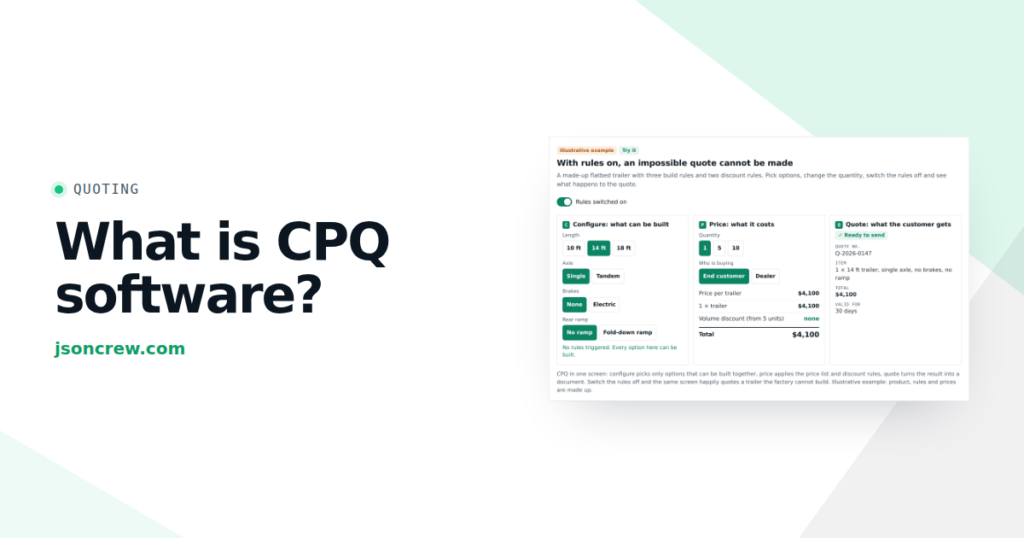
| C: Configure | Lets you pick only combinations that can actually be built | The towing package is grayed out | Your product expert's memory, a compatibility table, a call to engineering |
| P: Price | Applies the price list, options, volume and dealer discounts, margin floor | The total changes with every click | A pricing spreadsheet, a discount email to the sales manager |
| Q: Quote | Produces the document the customer receives, numbered and dated | The printed quote | Copy and paste into a Word template, export to PDF |
Configure is the part most manufacturers underestimate. It is the “this needs that” logic: an 18-foot frame needs a tandem axle, and a tandem axle needs brakes.
Price is where money leaks: a wrong option price, a discount stacked on a discount. Quote is what the customer sees, and a clean quote sent the same day says more about you than a brochure.
CPQ sits in the middle, between the inquiry and the order
The CRM knows who asked. The ERP knows what to build. CPQ turns one into the other without a person retyping it.
The words get mixed up: a Product configurator is the “C” with a good screen on top, often for customers. Configure, Price, Quote is the whole chain to a priced, approved quote, usually for sales teams. More on the configurator side in our guide to Product configurators for manufacturers.
A manufacturing company: MC
The usual path, in an illustrative mid-size manufacturer:
- An inquiry comes in by email, phone or a web form.
- A rep checks options and compatibility, often by asking the one product expert who knows the rules.
- The rep builds the price in a spreadsheet and asks a manager about the discount.
- The rep copies everything into a template and exports a PDF.
- Someone spots a mistake. Back to step 2.
That is the carpenter's notebook at company scale: every step waits for a person. We cover the levels of quote automation in quote automation software for manufacturers.
How many hours a month go into building quotes in your company? Try it with your own numbers. One preset uses the quote time from Akpil, an agricultural machinery maker we built a configurator for: about 3 hours before, 4 minutes after.
The calculator only counts time. It doesn't count the deal lost to a late quote, or the margin lost to a forgotten discount rule.
Quoting as a feedback loop
I look at every process in a company as a feedback loop: goal, result, gap, decision, action (more in the pillar article on feedback loops). Quoting is one of those loops. Three questions about it:
- How long is the delay? If the quote goes out after three days and the customer decides three weeks later, you learn whether your prices work a month later. Managers then react too hard, with an extra discount or a guessed price. CPQ cuts the first part of that delay from days to minutes.
- What do you measure? If you count quotes sent, you will get more quotes. Count the time from inquiry to quote and the share of quotes that needed a correction.
- Where is the bottleneck? If one person checks every non-standard quote, that person sets the speed of your whole sales team. More leads only make that queue longer.
On our B2B sales map, this is stage 5, Offering.
Do you need CPQ software?
You probably need some form of CPQ if most of these sound familiar:
- Your product has options, and some options depend on others.
- Quotes regularly wait for one or two people who “know the rules”.
- Dealers call you for prices instead of quoting on their own.
- You find pricing mistakes after the order is signed, or after it’s built.
You probably don't need CPQ yet if you sell a handful of models at fixed prices. A spreadsheet with locked formulas is a good first step, because it forces you to write the rules down.
Off-the-shelf CPQ vs a configurator built around your product rules
This is the real decision. Most manufacturers end up on one of three paths, and each works for the right company.
When off-the-shelf CPQ is a good fit
Off-the-shelf CPQ is a mature category with strong products. A few you will meet when you search for the best CPQ software:
- SalesforceCPQ runs inside Salesforce, so quotes, opportunities and approvals stay in one place.
- HubSpot includes quoting in its sales tools, with branded quotes, e-signatures and payments.
- Tacton focuses on manufacturers with complex, engineering-heavy products.
- Threekit positions itself as CPQ for Manufacturers, with a strong visual and 3D side.
- DealHub and Conga cover CPQ together with contracts, documents and billing.
- If you run Epicor, Infor or NetSuite as your ERP, ask that vendor about their CPQ first.
It tends to fit when your team already lives in a big CRM, your pricing rules are fairly standard, your users are mostly an internal sales team, and an admin can own the rules.
When a CRM with quoting built in is enough
Full disclosure: this path includes our own product. JSON Hub is our CRM with a quoting (CPQ) module. Your products and prices sit in a catalog, the quote is built from the customer record, and it goes out as a link instead of a PDF. The customer can change options, sees the new price and clicks “I accept the offer”, and you see when they opened it. It is priced per company, not per seat: from $119 net a month for up to five people, with a 30-day free trial and no card required.
It tends to fit when you are outgrowing the spreadsheet but don't run Salesforce, your options fit a catalog with variants, and you want enquiries, quotes and follow-ups in one place. It is not built for engineering-heavy rule sets with thousands of combinations. There, a specialist CPQ or a configurator built around your rules does the job, and the configurator can still hand its quotes to JSON Hub, as at Centrum Rekuperacji below.
When a configurator built around your rules is a good fit
A custom configurator is built around your product and rules, instead of bending them to fit a platform. It tends to fit when:
- your rules are unique to your product, like checking whether a machine fits the customer’s tractor,
- dealers or customers quote too, so you need dealer pricing and a screen anyone can use,
- the quote is part of your brand, the way the dealership screen is part of how a car brand sells,
- a product manager, not IT, will maintain the rules in a simple panel.
On cost: off-the-shelf CPQ is usually priced per user per month, so with a dealer network every partner seat counts. A custom build is usually a one-off project plus maintenance. Neither is cheaper by default. Compare them over three to five years with your real number of users.
Not sure which way you lean? Answer seven questions.
For a longer comparison, see custom configurators, off-the-shelf CPQ and templates.
What CPQ software costs: the factors, not a number
Any single number here would mislead you. These are the things that move the price:
- Number of users. Per-seat pricing grows with every rep and every dealer.
- Rule complexity. Ten options with three dependencies is a different project than thousands of combinations.
- Integrations. CRM, ERP, price lists, stock, e-signature. Every connection takes work.
- Visuals. Pictures, a 2D drawing or full 3D. Each step up costs more to build and maintain.
- Who maintains the rules. If every product change needs a consultant, that is a recurring cost. If your team edits rules in a panel, it isn’t.
Ask each vendor to price the same three real quotes from last month. Then work out the payback with your own numbers, as in how to calculate configurator ROI.
A real example: Knieja
Knieja sells hunting firearms and accessories. We built them a form-based configurator with a 2D preview. The customer goes through seven steps, from the model through the stock, wood, caliber and magazine to accessories. The price updates with every choice. At the end the customer downloads a PDF and walks into the store with a decision already made. It is the car dealership again, except the customer chooses at home, before the visit. See it live, or browse our other case studies.
Recovery Center (heat-recovery ventilation) quotes through JSON Hub, our CRM with a quoting (CPQ) module: the configurator picks the right unit and JSON Hub produces the quote automatically. Metal Roofing (roofing, fencing, facades) uses an internal sales tool we built: the rep configures the roof, facade or fence with the customer, the price is calculated on the spot, and the customer gets a PDF quote with a link to accept it.
What to do on Monday
You don’t need a vendor to start:
- Measure the delay. For the last 20 quotes, write down the time from enquiry to sent quote.
- Find your bottleneck. Who touches every non-standard quote, and what do they check?
- Write down the rules. Ask your best estimator for the five checks they do in their head. That list starts any CPQ project, bought or built.
- Pick three hard quotes. Use them as the test for every demo you sit through.
When CPQ won’t help
If your rules aren’t written down, no software will invent them. If nobody owns the price list, CPQ will produce wrong quotes faster. And if deals stall because nobody follows up after the quote, a CRM or a simple follow-up routine does more than CPQ. Rules and ownership first, tool second.
Frequently asked questions
What does CPQ stand for?
CPQ stands for configure, price, quote. It is software that checks which product options can be combined, calculates the price with your discount rules and produces a quote document.
Is CPQ the same as a Product configurator?
Not quite. A Product configurator is the “configure” part, often used by customers. CPQ covers the whole chain to a priced, approved quote. Many projects combine both.
Do I need a CRM to use CPQ software?
Most off-the-shelf CPQ works with a CRM, and some live inside one. A custom configurator can hand the quote to any system, including your ERP. See connecting a configurator to your CRM.
How long does a CPQ implementation take?
Mostly as long as it takes to write your rules down and connect them to your systems. We build the first working version of a configurator in 8 weeks.
What is the best CPQ software for manufacturers?
The one that handles your three hardest real quotes without workarounds. If you live in Salesforce or HubSpot, start with their quoting tools. For engineered products, look at specialists like Tacton or Threekit. If you are a smaller team outgrowing a spreadsheet, a CRM with quoting built in, such as our JSON Hub, may be all you need. If your rules are unique, compare them with a configurator built around your rules.
Where is your company getting stuck?
Eight statements about how your company reacts to its numbers. For each one, pick how often it happens to you. At the end you'll see what kind of controller your company is today, what it's missing and where to start.
None of the eight statements fits your company. Good sign: your decision loop is calm. Check it once a quarter, because the wobble usually starts when you grow or the market shifts.
I'll send you 10 questions to map one process, with tips for your result
✓ Sent
CEO of Ideo Solutions AS
One real quote
Want to know which option fits your product?
Send me the hardest quote you did last month (names removed) at contact@jsoncrew.com. I’ll tell you honestly: off-the-shelf CPQ, a CRM with quoting, a configurator, or a better spreadsheet.
How to cite this article: Jędrzej Siewierski, “What Is CPQ Software? A Manufacturer's Guide to Configure, Price, Quote (and When to Build Your Own)”, JSON Crew, jsoncrew.com, 2026.
If your quotes fit a catalog, you can also try JSON Hub on your own: 30 days free, no card required.