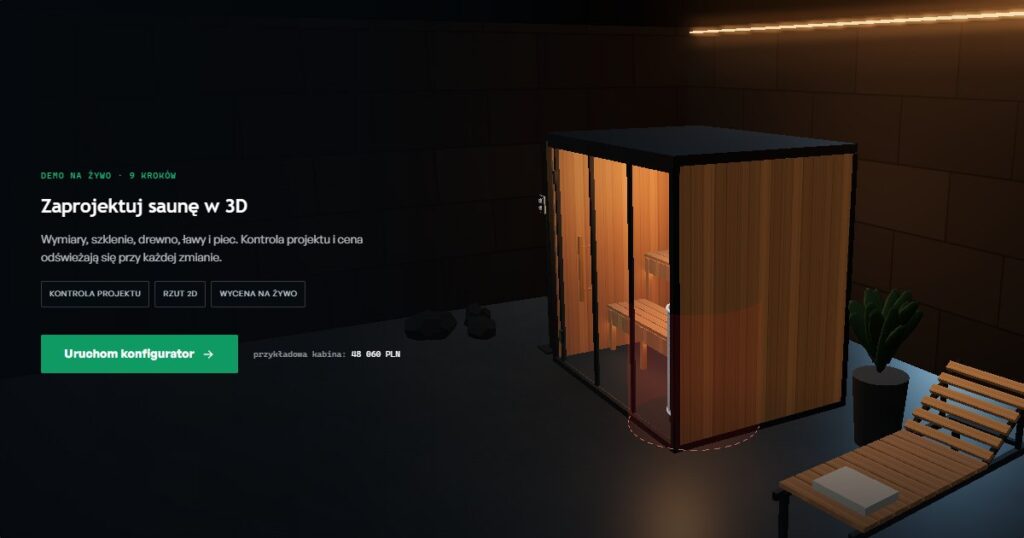
From the outside, a 3D configurator on a website looks like a single widget: a rotating model, a few buttons, a price in the corner. In practice, it is seven separate decisions, and each one can double the budget or turn a sales tool into an expensive ornament. Most of them are made (consciously or not) in the first two weeks of the project, before anyone sees the first model in a browser.
This article is for manufacturers and distributors considering implementing a 3D configurator who want to know what to ask a vendor before signing a contract. We illustrate each decision with working examples from our configurator showroom, and halfway through the article you will find a full 3D sauna configurator, which you can launch without leaving the page.
What you are actually buying when you buy a 3D configurator
Before we get to the decisions, it helps to break a configurator down into layers. This makes every conversation with a vendor easier, because you can immediately see which part they are pricing and which part they are leaving out.
- Visualization: the 3D model, materials, lighting, camera. This is the only layer the customer sees, and usually the only one buyers ask about.
- Product rules: what fits with what, which dimensions are allowed, which options exclude others. This is where your engineers' know-how lives.
- Price: price list, surcharges, discounts, currencies, partner pricing. Often a separate data source from the catalog.
- Post-configuration flow: what happens after the customer clicks “send”: a lead in the CRM, a PDF quote, a parts list, an email to the sales rep.
A configurator with only the first layer polished is a presentation. A configurator with all four is a sales tool. We describe this difference in more detail in the article 3D configurator as the company's operational center. The seven decisions below cover all four layers.
Decision 1: what the 3D configurator is for and who will use it
The most expensive mistake in implementations is building a configurator “for everyone”. The same product needs a different tool depending on who is sitting in front of the screen:
- End customer on the website (lead generation). Few steps, a fast first impression, an indicative price, a simple form at the end. Success is measured by the number and quality of inquiries. A good model to follow is the garden gazebo configurator: shape, size, 3D preview and a price range before the visitor enters an email address.
- Sales rep talking to a customer. More options, full pricing with discounts, quote export. The metric is the time from inquiry to quote. This is the scenario from the Akpil implementation, where 8 sales reps handled 150 inquiries a week and 60% of them were the same questions.
- Partner, dealer, installer. Partner pricing, login, configuration history, a parts list for ordering. The metric is the number of incorrect orders.
- Showroom and trade fairs. A tablet or a large screen, full-screen mode, quick sending of the configuration to the customer. The metric is the number of contacts collected at the booth.
In practice, one configurator serves two, rarely three of these scenarios. It is worth choosing the main one and writing it down in one sentence in the brief, e.g. “the configurator should cut carport quote preparation from two days to a single conversation”. That sentence will later settle dozens of smaller scope disputes. If you are not sure which scenario is yours, start with the article Offer chaos in a manufacturing company: 7 symptoms.
Decision 2: where to get the 3D models
Every manufacturer asks this question, and it is the one that most often derails the schedule. There are three routes, and most projects combine two of them.
CAD models prepared for the browser
If you have models in SolidWorks, Inventor or Fusion, you have a starting point, but not a ready file. An engineering model contains screws, threads, internal ribs and hundreds of thousands of triangles the customer will never see. Before publishing, it has to be simplified (retopology or decimation), given PBR materials and exported to glTF/GLB, the open Khronos Group standard for 3D in the browser. On top of that comes compression of geometry (Draco or meshopt) and textures (KTX2). A well-prepared product model usually weighs 1-5 MB. Our 3D lamp configurator loads a model of about 1.5 MB, while the 3D car configurator, where paint and reflections matter, loads about 12 MB.
Models built from scratch
When CAD does not exist or is unusable, a 3D artist builds the model from drawings and photos. This is the most expensive route per variant, so it makes sense for products with a fixed shape and few geometry variants, e.g. a lamp, a piece of furniture or a machine in a few versions.
Parametric model: geometry generated from rules
For products that differ in dimensions rather than shape (saunas, carports, winter gardens, built-in units, shelving), you do not model every variant. The configurator builds the geometry in the browser from dimensions and engineering rules. This is how it works in our 3D sauna configurator: the cabin from 1800 to 3000 mm, glazing and benches in straight, L and U layouts are generated from code, and ready-made models (heater, accessories) are added only where an accurate shape matters for sales. We use the same approach in our carport configurator i winter garden configurator.
Rule of thumb: if the number of possible dimension combinations runs into the thousands, a parametric model is cheaper to build and far cheaper to maintain. If the product has a dozen or so variants with different shapes, ready-made models are the better choice.
| Model source | When it makes sense | Ryzyko |
|---|---|---|
| CAD prepared for the web | You have up-to-date engineering models | Model too heavy if nobody optimizes it |
| Model from scratch | Fixed shape, few geometry variants | Cost grows linearly with the number of variants |
| Parametric (from rules) | Product varies in dimensions and layout | Requires well-documented engineering rules |
Decision 3: technology, i.e. Three.js, an off-the-shelf platform or streaming
There are three families of solutions on the market. Each has its place, and a mistake here is the hardest to undo, because changing the technology a year in usually means rebuilding from scratch.
| Approach | Strengths | Weaknesses | For whom |
|---|---|---|---|
| Custom WebGL configurator (Three.js, Babylon.js) | Full control over UX, rules and integrations; no license fees per view; the code and data belong to you | Higher upfront cost than a template; requires a vendor who understands both 3D and sales logic | Manufacturers with non-standard rules, their own quoting process and a development roadmap |
| SaaS platform (subscription configurator) | Fast start, ready-made admin panel, updates handled by the provider | Subscription grows with the number of products or sessions; rules and integrations limited to what the provider anticipated; hard to exit | Stores with a simple product and standard e-commerce |
| Pixel streaming (Unreal, Unity in the cloud) | Render-level photorealism regardless of the customer's device | GPU server cost for every session, latency, requires a good connection | Premium brands, showrooms, real estate presentations |
In B2B sales and made-to-order manufacturing, the first option usually wins, because it is the rules and integrations, not render quality, that decide whether the tool actually gets used. We compare the three paths in terms of cost and risk in the article Configuration tool custom vs. ready-made CPQ vs. template, and review 27 tools on the market in our ranking of product configurators.
WebGPU is a separate matter. The new graphics API is already available in major browsers and offers more power, but the safe foundation for a sales configurator is still WebGL 2, which works practically everywhere. A good vendor writes code so that moving to WebGPU means swapping the renderer, not the whole application. More on when 3D in the browser starts to sell in the article Three.js on the website.
Decision 4: product rules, i.e. what the customer can and cannot do
The 3D model attracts attention, but it is the rules that decide whether the configurator produces an order that can actually be manufactured. Typical rule categories:
- Exclusions: option A does not work with option B (e.g. a glass wall cannot stand against a masonry wall).
- Dependencies: choosing A requires B (e.g. an L-shaped lighting track requires a corner connector).
- Ranges and steps: width from 1800 to 3000 mm in 100 mm steps, not any arbitrary number.
- Calculations: power, load, number of components, weight, assembly time.
- Bill of materials (BOM): the configuration turns into a list of components for production or ordering.
The key question is: where are these rules stored? If they live in the code, every change to your offer requires a developer. If they are in a single configuration file or admin panel, the person responsible for the product can change them. A real-life example: in the article about abandoned gazebo inquiries we showed how a single configuration file replaces several spreadsheets and a phone call to the product engineer.
A good test for a vendor is to ask them to show how the configurator handles a conflict. Does it block the option right away? Does it explain what is wrong? Does it guide the user to the step where something needs to change? In the magnetic lighting configurator i 3D track lighting configurator the rules select the power supply and calculate the parts list automatically, and in the sauna below you can see live collision checking.
See it in action: the 3D sauna configurator
Below is a fully working configurator from our showroom: nine steps, design validation, a 2D floor plan and live pricing. It shows most of the decisions from this article: a parametric model (decision 2), rules and collisions (decision 4), a price that updates with every change (decision 5) and a form at the end (decision 6).
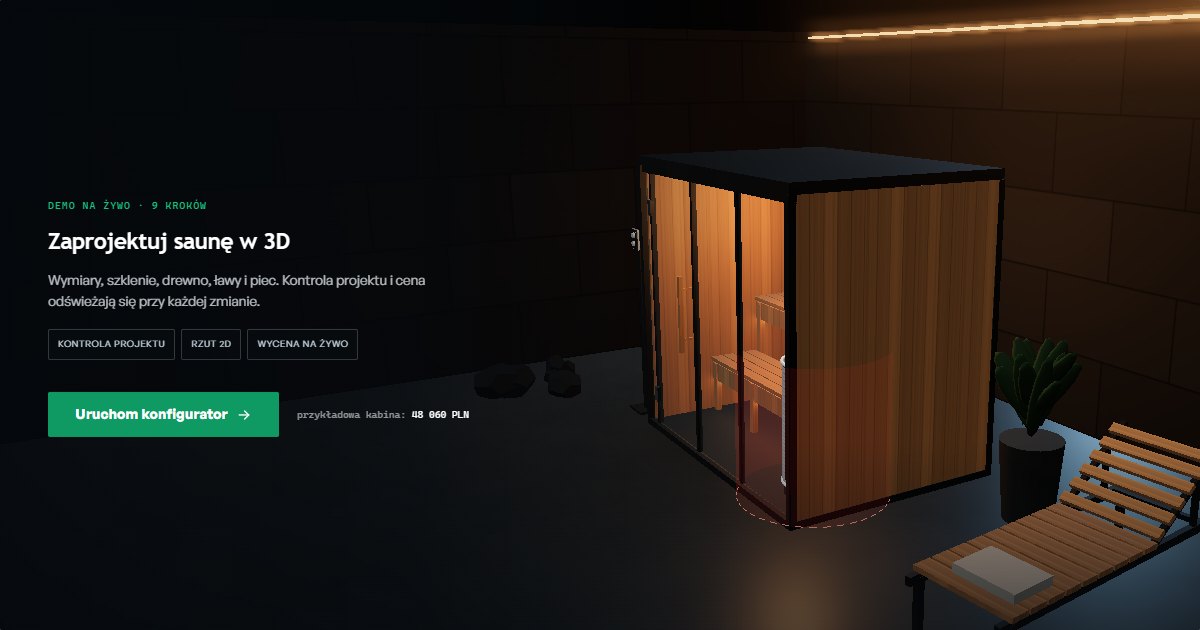
Click the poster to launch the configurator right here in the article. Prefer full screen?
Open the 3D sauna configurator in the showroom →
What to check as you click:
- Heater sizing based on cabin volume. The configurator calculates the cabin volume and adds 1.2 m³ for every m² of glass, because glazing loses heat faster than wood. Enlarge the glazing and watch the recommended heater output change. Choose a weaker heater and the design validation will flag a conflict.
- Heater safety zone. Neither a bench nor the door can enter the zone around the heater. The configurator enforces this on its own instead of leaving the problem to the product engineer.
- 2D floor plan and dimensions. The same design in top view, with dimensions. This is the view the installer needs, not the customer.
- Price. Every change recalculates the quote. In a real implementation, the data comes from your price list and product data sheets, not from sample values.
Decision 5: live pricing, a “from” price or a quote on request
Showing the price is a commercial decision, not a technical one, but it has a huge impact on project scope. There are three models:
- Full live pricing. The highest trust and the best-qualified leads, because the customer knows the budget before getting in touch. It requires a complete price list in data form, not a PDF. It works well for products with transparent prices (saunas, gazebos, garages).
- A “from” price or a price range. A compromise when the final price depends on installation, transport or on-site conditions. You can see this clearly in the metal garage configurator, where we show how to turn a price list into an indicative price.
- No price, quote on request. Justified for large B2B projects and negotiated prices. In that case, the configurator has to give the sales rep a specification complete enough to produce a quote in minutes, not days.
If prices differ for retail customers and partners, the vendor needs to know this from the start: it means login, price groups and often an ERP integration. We explain how pricing in a configurator translates into return on investment in the article ROI from a configurator: How to Realistically Calculate the Return on Investment.
Decision 6: what happens after the customer clicks “send”
A configurator that ends with a plain contact form throws away most of its value. The sales rep gets an email saying “please contact me” and starts from zero. It is worth deciding early what exactly gets passed on, and where:
- To the CRM: a lead with the full configuration, price, traffic source and a model snapshot (HubSpot, Pipedrive, Salesforce, Dynamics or your own system). Details in the article Integration of the configurator with the CRM.
- To the customer: a PDF or a link to the saved configuration that they can come back to and share within their company. In B2B, several people make the decision, so a link to the configuration is often more important than the PDF itself.
- To production or the warehouse: parts list, dimensions, drawing. For system products (lighting, shelving, built-in units), this is the biggest time saver.
- To other sales channels: the same catalog and rules can feed an online store, a marketplace or a partner portal. Example: a configurator connected to Allegro.
We describe the whole chain from configuration to an accepted quote in the article Configurator, CPQ and supplier catalog in non-serial manufacturing. If quotes in your company are built in Excel, start with the article What is CPQ?.
Decision 7: performance, mobile, SEO and analytics
A 3D configurator is the heaviest element on the page and can easily hurt your PageSpeed score and Google rankings. Four things worth asking about:
- On-demand loading. The page shows a lightweight preview (a poster or a simple model), and the full application loads after a click. That is how the sauna above works: until you launch it, the article loads like plain text.
- Mobile as the first screen. In B2B, many first visits come from a phone, via a link in an email or on LinkedIn. The configurator needs a separate layout for small screens and sensible texture limits, because mobile browsers, especially on older iPhones, can reload the tab when graphics memory usage gets too high.
- Content that Google can see. A search engine will not see a model inside a canvas. It will see the text around it: product description, options, FAQ, structured data. Every configurator in our showroom has a page with a description and a Q&A section, not just a 3D window.
- Step tracking. Analytics events for each configuration step show where customers drop off. Without them, you cannot tell whether the problem is the price, too many options or the form.
We have collected the most common technical problems in implementations in the article 5 most common problems when implementing a configurator.
How much a 3D configurator costs and how long implementation takes
The budget follows directly from the seven decisions above. The biggest costs are not the pixels but the rules, integrations and data preparation. Roughly:
- 3D configurator MVP with one product or product family, rules, pricing and a lead sent to the CRM: with us from PLN 49,000, 6-8 weeks. Simpler configurators with a 3D preview, such as gazebos, can fit into about 4 weeks.
- Configurator with full logic and integrations (ERP, partner pricing, parts list, PDF quote): several times more, depending on the number of systems on the other side.
- 3D models priced separately, from a few thousand PLN for a model prepared from CAD to well over ten thousand PLN for a model built from scratch.
You can estimate the range for your case in 3 minutes with our configurator cost estimator. A detailed cost breakdown is in the article How much does the configurator cost?, and the implementation stages, week by week, are on the page 3D configurators for manufacturers.
Checklist: 7 decisions before implementing a 3D configurator
| Decision | Question to ask internally | Typical mistake |
|---|---|---|
| 1. Goal and user | Who will be clicking, and how will we know it is a success? | A configurator “for everyone”, with no single measurable goal |
| 2. 3D models | CAD, a model from scratch or geometry from rules? | Putting the engineering model straight onto the website |
| 3. Technology | Custom code, SaaS or streaming? | Choosing a platform you cannot leave once the rules grow |
| 4. Rules | Where are they stored and who can change them? | Rules hard-coded, so every price list change is a job for a developer |
| 5. Price | Full, “from” or on request? The same prices for everyone? | Deciding on partner pricing halfway through the project |
| 6. After clicking “send” | What goes to the CRM, to the customer and to production? | A plain contact form at the end of the configuration |
| 7. Performance and SEO | How does the page load on mobile, and what does Google see? | A heavy model loaded immediately, zero text around the canvas |
3D configurator examples to try
All the demos below run in the browser, no login required. Each one shows a different variant of the decisions from this article:
- 3D sauna configurator: parametric model, collision checking, heater sizing based on cabin volume, 2D floor plan, live pricing.
- 3D track lighting configurator: I/L/U track, luminaires, automatic parts list and 48 V power supply selection.
- 3D Carport Configurator: RAL colors, side panels, dimension rules, lead sent to the CRM.
- 3D Winter Garden Configurator: glazing and engineering rules.
- 3D Car Configurator: GLB model, paint, rims, price.
- 3D lamp configurator: lightweight model of about 1.5 MB, separate colors for each component.
- Magnetic Lighting Configurator: automatic parts list, power and control validation.
- Garden gazebo configurator: a short lead generation path with a price range.
- Door configurator, metal garage i modular house configurators: different approaches to pricing and the form.
You will find the full list in the the JSON Crew showroom. Client implementations, including for a PVC window manufacturer with a 47-column Excel sheet i a VR and 3D tool for Colliers Poland, are described in our case studies.
Frequently Asked Questions
Do I need CAD models for a 3D configurator?
Not always. CAD models speed up the work, but they must be simplified and prepared for the browser (GLB format, geometry and texture compression). Products that differ mainly in dimensions, such as saunas, carports or winter gardens, can be built parametrically from rules, without modeling every variant.
Does a 3D configurator work on mobile?
Yes, if it is designed with mobile in mind: a separate layout for small screens, lightweight models (usually 1-5 MB) and sensible texture limits. It runs in the browser, with no app to install.
Will a 3D configurator slow down my website?
It does not have to. Good practice is to show a lightweight preview and load the full application only after a click. The page then loads like any regular page, and the heavy assets are downloaded only by people who actually want to configure.
Is a subscription configurator or a custom one better?
A subscription gives you a fast start with a simple product and a standard online store. A custom configurator wins when the product has non-standard rules, partner pricing, or has to be connected to CRM, ERP and production. In that case the code and data belong to you, and you do not pay per session.
How long does it take to implement a 3D configurator?
An MVP with one product or product family, rules, pricing and a lead sent to the CRM usually takes 6-8 weeks. What usually takes longest is gathering the rules and price list on the manufacturer's side, not the programming itself.
Will Google index a 3D configurator?
Google cannot read a model drawn in a canvas, but it will index the page content around it: product description, options, FAQ and structured data. That is why a configurator should have a full page with text, not just a 3D window.
Kolejny krok
If after reading this you have answers to four of the seven questions, you are ready to talk to a vendor. If fewer, that is also a good moment, because these decisions are best made together, before the first model is built. On our 3D configurators page we show what an implementation looks like, from the first conversation to a working MVP.
You can also check your budget range in the estimator or write to us with a short description of your product. We will tell you which route is worth taking, or honestly tell you that you do not need a 3D configurator.
Read also
- What is a Product Configurator? A Complete Guide
- 3D configurator as the company's operational center: from gadget to system
- 3D car configurators in B2B sales: how they work, costs and ROI
- A configurator on your website: which factors drive fast ROI
- Digital showroom 2026: why B2B customers do not call the sales rep